
Appearance
Using Autoconnecto
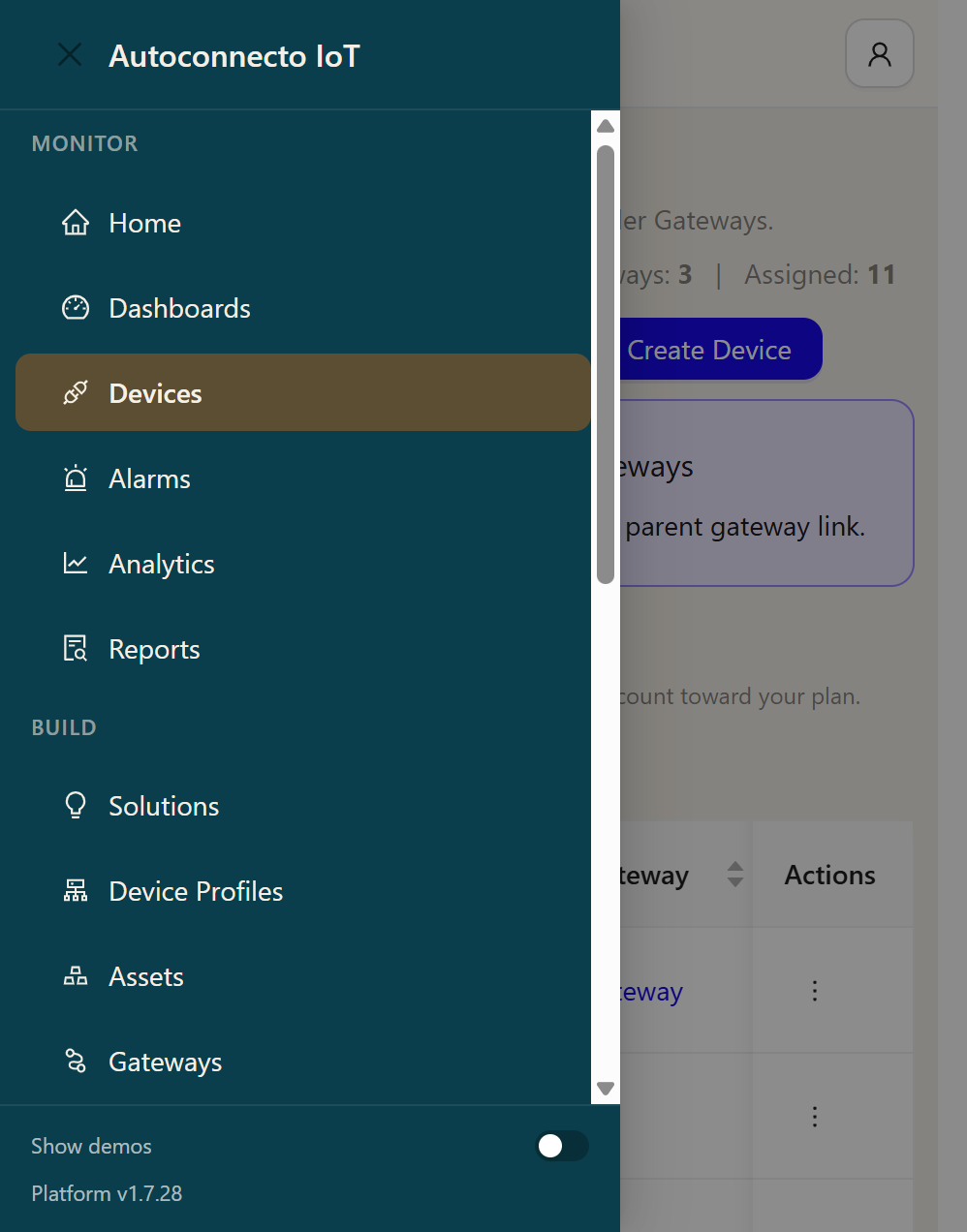
The left menu has three groups.
| Group | What is in it |
|---|---|
| Monitor | Home, Dashboards, Devices, Alarms, Analytics, Reports |
| Build | Solutions, Device Profiles, Assets, Gateways, Integrations, Scheduler, OTA, Data Generators, Rule Engines |
| Account | Users, Audit log, Help Wizard, Tenant Settings, Billing, Documentation |
Open the menu from the mark at the top left. Platform at the bottom of the menu is the version of the app you are signed into.
A reading from a device is stored by the platform. A rule engine does not need a node to save it. Drop is the only way that reading is not stored. Attributes the device sends are stored the same way.
Alarm rules on a device profile run on their own. A Create alarm node in a rule engine is a separate alarm. If both exist, both run.
Quiet hours and the Monday energy mail stay off until you turn them on.
Show demos, at the bottom of the menu, shows solution sample devices and dashboards. Those samples do not count toward the plan. Leave it off when you are working on the plant.
The API reference is Swagger, inside the app, under Documentation. It is generated from the server you are signed into. This guide does not copy the endpoint list.