
Appearance
Devices
Devices is the list of field devices. A gateway hub is not managed on this page. Open Gateways for the hub. A child device still appears here, with the parent gateway named in the row.
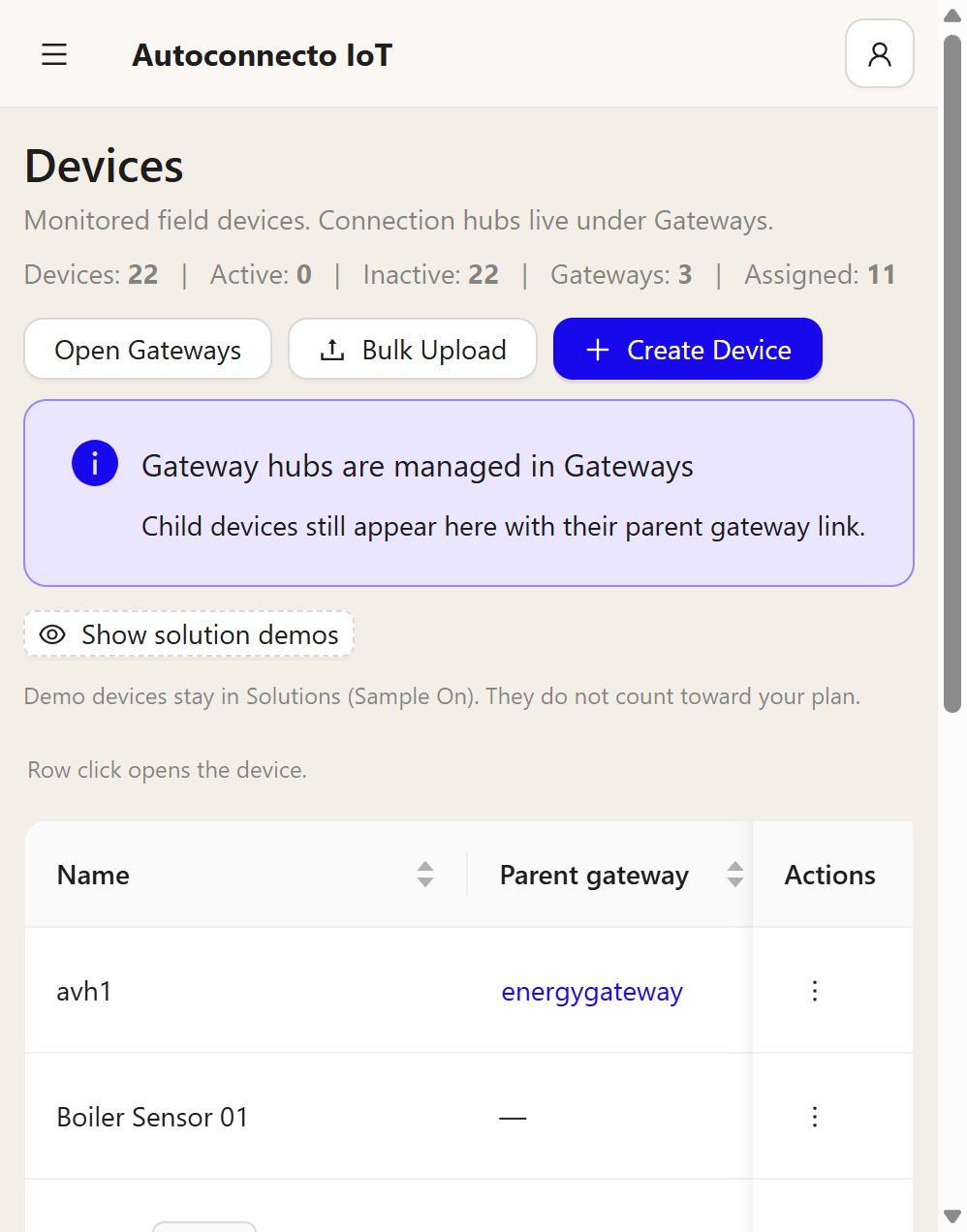
The line under the title is the count: devices, how many are active, how many are inactive, how many gateways, and how many are assigned to an asset.
| Control | What it does |
|---|---|
| Open Gateways | The hub list |
| Bulk Upload | Create many devices from a file |
| Create Device | One device |
| Show solution demos | Sample devices from Solutions. They do not count toward the plan |
Click a row to open the device. The ⋮ on the row is the actions for that device.
A new tenant already has a profile named Default. Create Device can be used on the first visit to Devices. Opening Device Profiles is not required before the first device.
Create a device
Create Device asks for:
| Field | Meaning |
|---|---|
| Device Name | The name operators see |
| Device Type | The kind of device, for example Energy Meter or Temperature Sensor |
| Device Profile | The profile that holds the transport, the alarm rules, and the rule engine |
| Attach to Asset | Optional. The place or machine this device belongs to |
| Inactivity Timeout | If no reading arrives in this time, the device becomes inactive. Choices are 1, 5, 10, 15, 30 minutes, or 1 hour. The next reading makes it active again |
| Device Role | A normal device, or a gateway |
| Parent gateway | When this device reports through a gateway |
| LoRa | Optional, only when the device is on LoRaWAN |
The credentials the screen shows after create are the device identity. Treat them as a secret. They are not repeated in this guide.
A device does not need a rule engine before it can send data. The profile alarm rules still run. The reading is still stored.
On a gateway, OPC UA, BACnet, and Sparkplug stay off until you turn that protocol on and fill the address it needs. OPC UA needs an endpoint, a node id, and a telemetry key. BACnet needs an address, an object, and a telemetry key. Sparkplug needs a group and an edge node. Saving while the switch is off does not start polling.
What you see on the device
The device page shows the latest readings, attributes, alarms, and commands. The Alarms tab count is the number of alarms for that device, including cleared ones, as soon as the page opens. Updated on a cleared alarm is the time it cleared. A device with no reading yet is still a valid device. Do not rename a live device unless you mean to.
Hardware for a specific box stays under Device hardware on this site: USR-DR154, ESP32 Modbus edge, and Multispan AVH-14-M1.