
Appearance
Rule engine
Open Rule Engines.
A rule engine is a chain of nodes. It runs for a device when that device’s profile points at a Started engine, or when a scheduler job runs the engine.
The chain adds your logic. It does not replace storing telemetry, and it does not replace the alarm rules on the profile.
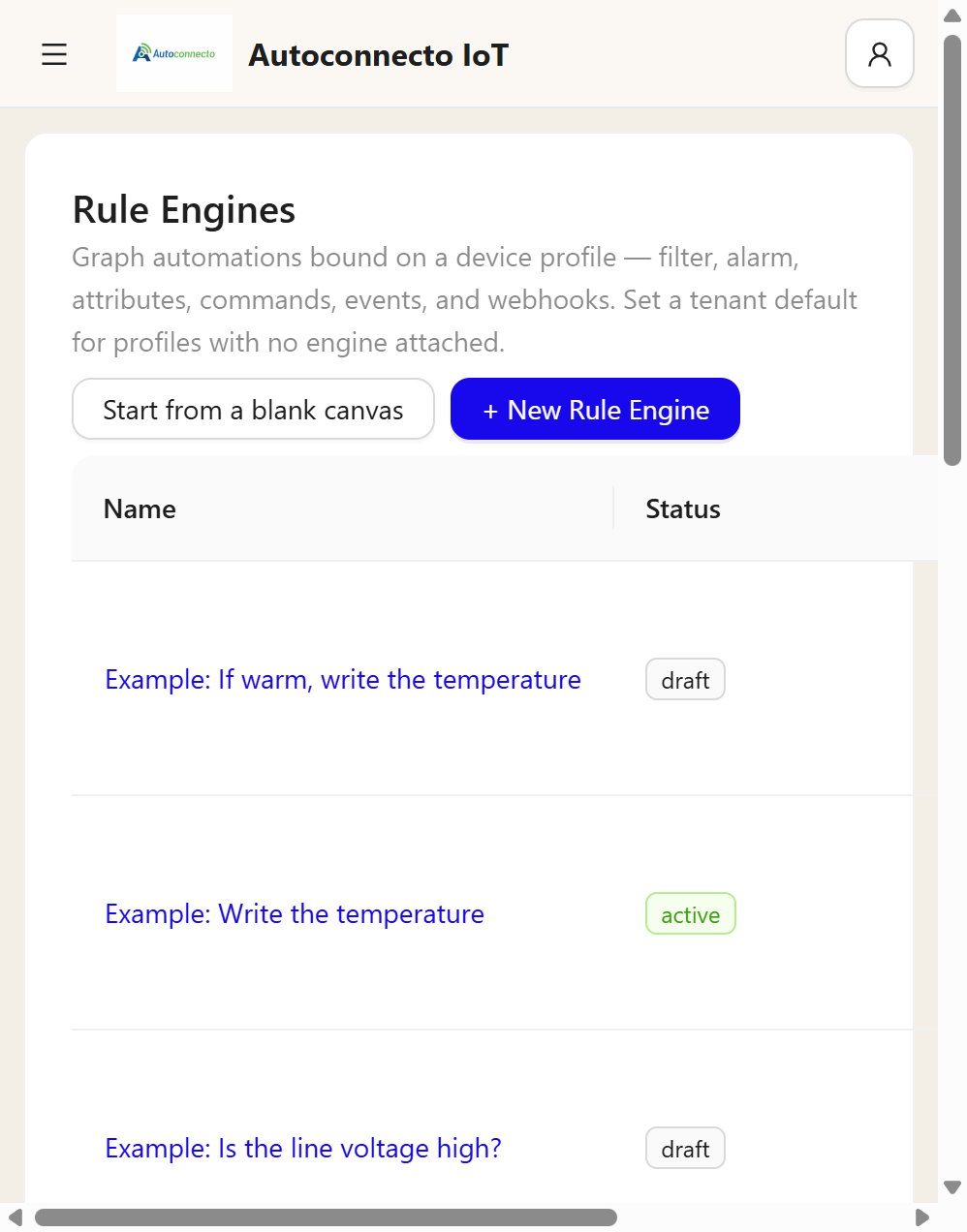
| Control | What it does |
|---|---|
| Start from a blank canvas | Message in only. The badge says Not wired until a link exists. A blank engine still saves. Readings are still stored. Profile alarms still run |
| New Rule Engine | Opens the choices for a new engine |
| Start | The engine can run. A draft does not run |
| Pause | The engine stops running. A paused engine is not a failure when another engine calls it |
| Make default | Profiles with no engine of their own use this one |
| The name | Opens the graph |
Default on a row is the tenant default. Clear default removes that.
Rows named Example: are shipped with the platform. Each node appears in one of them. They are drafts, they are not on a device profile, and they cannot be deleted, started, or saved over. Duplicate makes an editable copy. Preview still runs on the example and does not send mail, create an alarm, or store a reading.
How to build
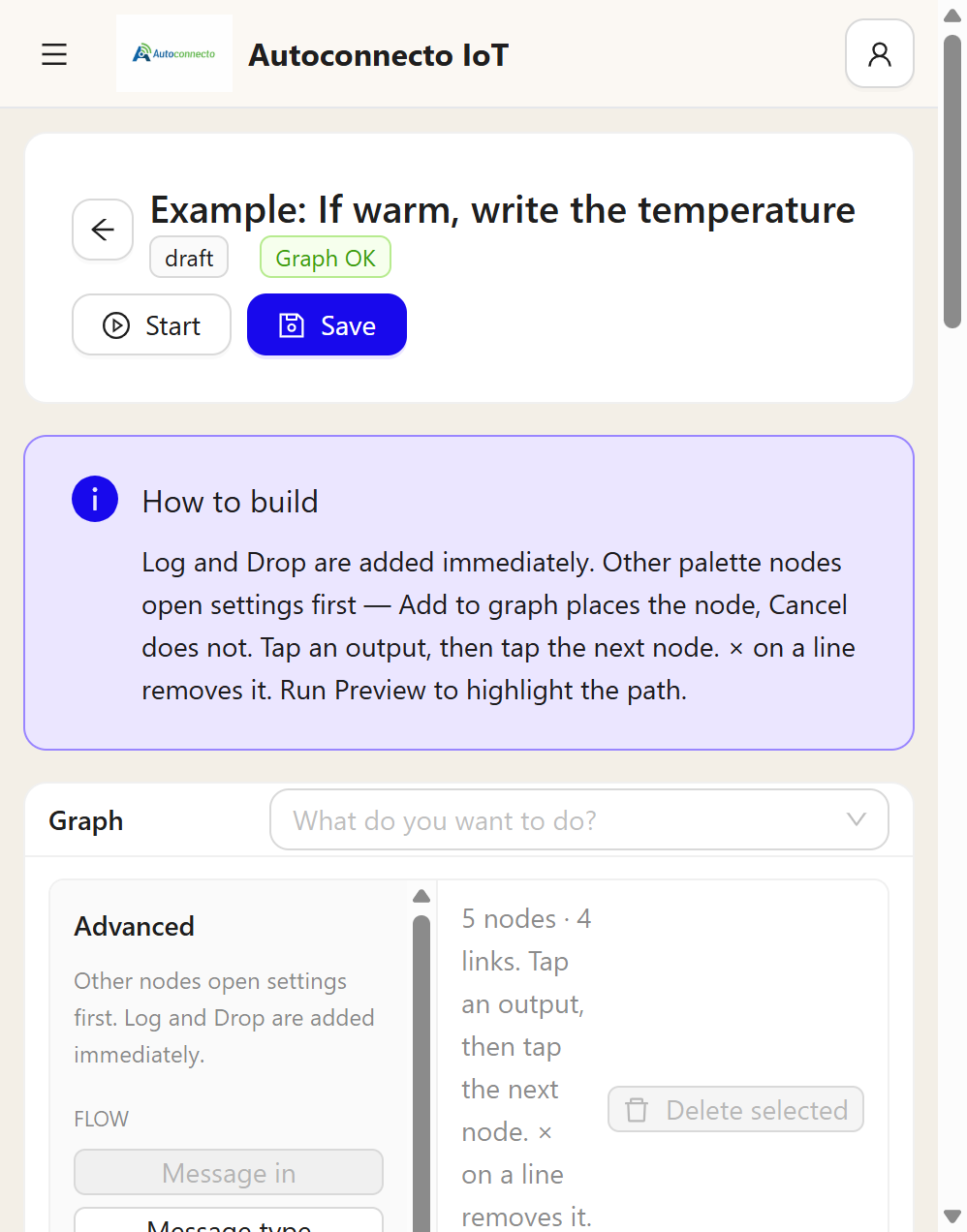
Log and Drop are placed as soon as you pick them. Every other node opens its settings first. Add to graph places it. Cancel does not.
Tap an output name, then tap the next node. One output can feed more than one node. Each of those chains runs. A new line does not remove the line already there. If any chain uses Drop, that reading is not stored. The × on a line removes that line. Dragging from the coloured dot still works.
Not wired means Message in has no link yet. Graph OK means the links are valid. Needs fixes means a node is incomplete. Save stays available for a blank engine.
Run Preview marks the path. It uses the sample you paste, or Load last telemetry from a device. Preview does not send mail, create an alarm, or store a reading.
Save writes the graph. The first save is kept as version 1. A later save that changes the graph is kept as the next version. Saving again without a change does not add a version. Start is separate from Save. An engine that is only saved, and still draft, does not run.
A started engine on the device's profile runs when a reading arrives. Executions increases by one. If that reading is stored and this engine does not run, Live debug says why: the engine is not started, it is paused, it is not attached to that device's profile, or the graph was rejected. A profile alarm rule still runs on its own when the chain does not.
Message in
Message in is the start. It accepts telemetry unless you tick more:
| Kind | When the chain sees it |
|---|---|
| telemetry | A reading arrives |
| attributes | The device sends client attributes. Server and shared attributes do not start this message |
| alarm_created | A profile alarm rule raises an alarm |
| alarm_cleared | A profile alarm rule clears an alarm |
| device_active | The device becomes active |
| device_inactive | The inactivity timeout expires |
| rpc_response | A command reply arrives |
| scheduled | A scheduler job runs this engine |
Message type splits those kinds onto separate outputs. There is no single output named alarm. A new alarm and a cleared alarm are separate. A kind you do not tick goes out on other.
An alarm created by Create alarm in the chain is stored and does not come back into the chain. That stops the chain from raising the same alarm again. Acknowledging an alarm does not send a message into the chain.
Nodes
The palette is grouped.
Flow. Message in, Message type, Throttle, Delay, Dedupe, Run another engine.
Filter. Filter, Switch, Compare with previous, Key gone quiet, Geofence, Shift clock, Sequence, Profile switch, Alarm status.
Transform. Enrich, Related entity, Script, Math, Change since last, Window, Rate per minute, Period total, Roll-up, History, Split list, Log.
Action. Create alarm, Clear alarm, Set attribute, Send command, Notify, Act on related device, Delete attribute, Continue as, Command and wait, Alarm count, Drop.
External. Webhook, REST call, Integration downlink, MQTT publish.
| Node | What it does |
|---|---|
| Filter | True or false on a key |
| Drop | Stop. This reading is not stored |
| Log | One line in the server log. The chain continues. It does not save telemetry |
| Delay | Wait, then continue. The platform stores the reading when the delay finishes |
| Create alarm / Clear alarm | A chain alarm, separate from the profile alarm rules |
| Set attribute | Write an attribute the chain decides. Not required to keep what the device already sent |
| Delete attribute | Remove that key. Telemetry history stays |
| Send command | Send a command. Does not wait |
| Command and wait | Wait in this chain for the reply, up to 60 seconds |
| Notify | Email, SMS, or Telegram. Mail and SMS use the account under Tenant Settings |
| Run another engine | Call another Started engine on the same device |
| History | Average, min, max, sum, or count of one key from stored telemetry, up to 7 days |
Run another engine
The other engine must be Started. This chain waits, then continues on success with the message it returned. If the other engine drops the message, this node goes out on failure. Three levels deep is the limit. An engine that calls itself fails that node. A paused target does not fail the chain: the message continues unchanged.
A worked shape
One engine can decide, and another can do the work.
- Filter on
temperaturegreater than 30. - true goes to Run another engine.
- The other engine is Started, and its only job is a Log of the temperature.
- false goes to a Log that the room is cool.
The reading is stored either way, because neither path uses Drop. The profile alarm rules still run beside this.