
Appearance
Alarms
Open Alarms. The line under the title is the count of active alarms, how many of those are not acknowledged, and how many are cleared.
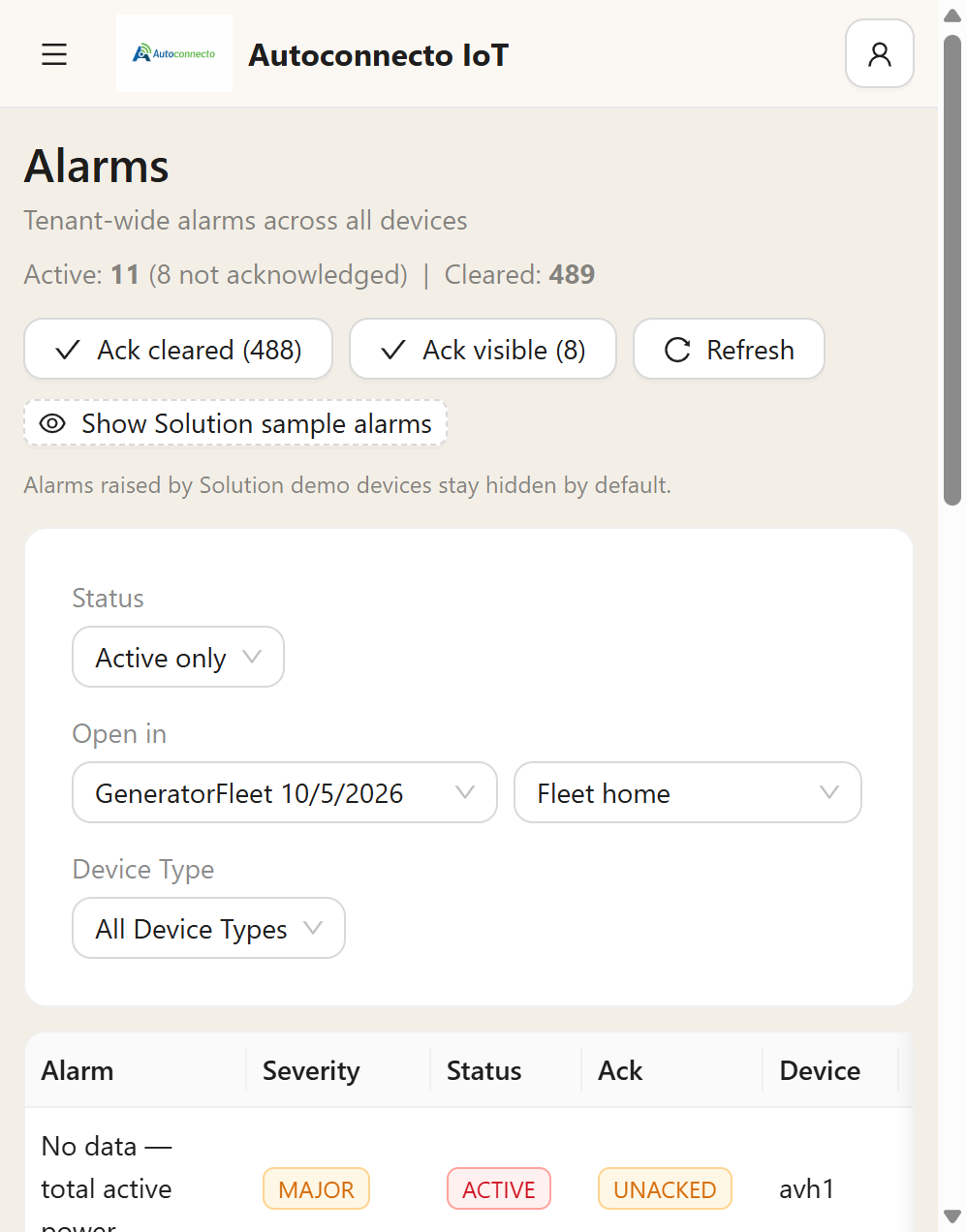
| Control | What it does |
|---|---|
| Ack cleared | Acknowledges cleared alarms that nobody has marked yet. It does not touch an alarm that is still active |
| Ack visible | Acknowledges the unacknowledged rows in the current filter |
| Refresh | Loads the list again |
| Show Solution sample alarms | Sample alarms from solution demos. They stay hidden until you turn this on |
| Status | Active only, or include cleared |
| Open in | Which dashboard and state a row opens |
| Device Type | Limit the list to one type |
A row has the alarm name, a severity, a status, whether it is acknowledged, the device, the key, the value, when it was created, and when it was cleared. Cleared is empty while the alarm is still active. The detail page shows the same cleared time.
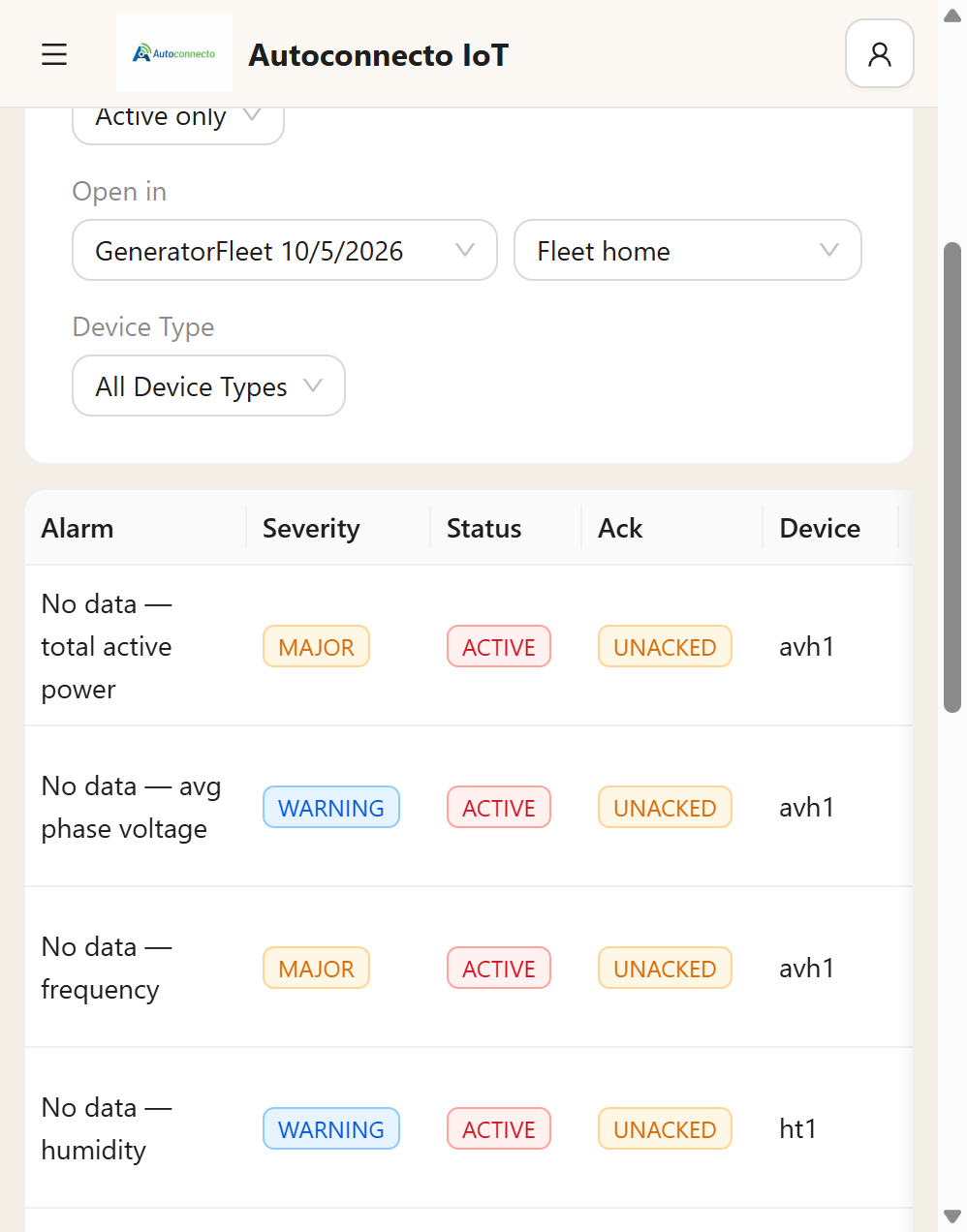
Severity is Critical, Major, Minor, or Warning. Status is Active or Cleared. Ack is Unacked until someone acknowledges it.
Where an alarm comes from
- A rule on the device profile creates and clears alarms for that type of device.
- A Create alarm node in a rule engine creates an alarm for the condition in the chain.
- Clear alarm in a chain clears a matching alarm.
Both sources run. Do not turn the profile rules off because the chain also has an alarm node. They are different conditions unless you copied the same limit into both.
Acknowledging an alarm marks the row. It does not delete it, and it does not send a message into the rule engine. Escalation mail can stop on acknowledge if you turned that on under Users.
Clearing from a profile rule does send alarm_cleared into a chain, if Message in accepts it. An alarm the chain itself creates is stored and does not re-enter the chain.
What operators do
Filter the list by device or severity. Acknowledge marks that someone has seen it. Clear closes it when a person must close it. Some profile rules clear themselves when the reading returns to normal. Read that rule before you expect a manual clear.
The list can acknowledge the cleared-but-unacked rows, or the unacked rows in the current filter. That cleans a backlog. It does not hide an alarm that is still active.
Notification is separate. Who receives mail, SMS, or a Telegram message is under Users. The account that sends mail and SMS is under Tenant Settings. If that account is empty, the alarm is still on this page and the message is not sent.